Is Drinkaware down - May, 2026?

Drinkaware Outages and Status
Drinkaware Logo

Drinkaware.co.uk is an independent UK-based charity dedicated to providing accurate, evidence-based information about alcohol and its impacts. Acting as a helpful and informative resource to the general public, Drinkaware.co.uk makes it easy to understand alcohol unit guidelines, the health risks related to excessive drinking, and strategies for managing alcohol intake. It's a valuable tool for anyone seeking clear, straightforward advice about alcohol consumption.

Last check: Just Now |

URL Checked:

https://www.drinkaware.co.uk/

Last Down:

not recently

Response Time:

1.63 ms.

Drinkaware outages reported by users in the last 24 hours

No Drinkaware problems reported in the last 24 hours

This chart shows the number of Drinkaware outages/problems reported by users in the past 24 hours. All data in the chart is in the Europe/London time zone.

Recent Drinkaware User Reports

Check out the latest user reports on Drinkaware, detailing the types of issues experienced and their locations. This helps you determine if others in your area are encountering similar problems.

  • GB Flag Icon
    May 11, 2026 - 19:56

    A visitor from City of London, United Kingdom has reported a problem with Service

  • GB Flag Icon
    May 11, 2026 - 19:48

    A visitor from Poole, United Kingdom has reported a problem with General Issues

  • GB Flag Icon
    May 11, 2026 - 16:58

    A visitor from Worthing, United Kingdom has reported a problem with Service

  • GB Flag Icon
    May 11, 2026 - 16:57

    A visitor from Worthing, United Kingdom has reported a problem with General Issues

  • GB Flag Icon
    May 11, 2026 - 13:50

    A visitor from Glasgow, United Kingdom has reported a problem with General Issues

  • GB Flag Icon
    May 10, 2026 - 16:39

    A visitor from Didsbury, United Kingdom has reported a problem with Service

  • GB Flag Icon
    May 10, 2026 - 16:39

    A visitor from Didsbury, United Kingdom has reported a problem with Service

Join Drinkaware Discussion

Suggestions? Issues? Outages?
Please share your Drinkaware experience with other users around the globe.

GB Flag Icon

City of London, United Kingdom 2 days ago

Error 500. No data and cannot input

GB Flag Icon

Steve Bridger

Poole, United Kingdom 2 days ago

Still not working. Has not worked for 5 days and 3 years of history 'lost'.
What is going on?

GB Flag Icon

Clare Hobart

Worthing, United Kingdom 2 days ago

Coming up with messages about a problem.
Can't see or input data

GB Flag Icon

David Bottomley

Glasgow, United Kingdom 3 days ago

I'm getting error 500 - background services unavailable / unable to load data.

GB Flag Icon

Northampton, United Kingdom 4 days ago

Same error 500 for 3 days.
Can't access personal data.
I have uninstalled and reinstalled without success

GB Flag Icon

Northampton, United Kingdom 4 days ago

Same error 500 for 3 days.
Can't access personal data.
I have uninstalled and reinstalled without success

GB Flag Icon

Leigh Moss

Northampton, United Kingdom 4 days ago

Error reported.
Personal not available for past 3 days

GB Flag Icon

tim snape

Didsbury, United Kingdom 4 days ago

cant access or update any data on the app....keeps showing error 500?

GB Flag Icon

Steve Bridger

Poole, United Kingdom 6 days ago

Not working for 2 days
Error code 50p

GB Flag Icon

Jh

Derby, United Kingdom 1 years ago

All my July data missing !

Most common Drinkaware problems reported by users

47

General Issues

53

Service

Drinkaware Outage Locations

Location

Reports

Last Reported

GB Flag Icon

City of London, England, GB

14

2 days ago

GB Flag Icon

Glasgow, Scotland, GB

1

3 days ago

Are you experiencing issues with Drinkaware right now?

Is drinkaware.co.uk not working for you? If you are having issues with Drinkaware, please use one of the options below to report a problem with the service

drinkaware.co.uk website response status history

Date and Time

Response Time

Status Code

May 14, 2026 - 11:45

1.63 ms.

200

May 14, 2026 - 06:25

1.6 ms.

200

May 13, 2026 - 20:27

1.66 ms.

200

May 13, 2026 - 17:34

1.56 ms.

200

May 13, 2026 - 05:22

1.59 ms.

200

May 12, 2026 - 22:58

1.79 ms.

200

May 12, 2026 - 11:34

1.61 ms.

200

This table shows the drinkaware.co.uk outage requests and response browser checks executed automatically by the sitedown.co.uk service. All data in the table is in the Europe/London time zone. If Drinkaware is down or slow for you. You can try using a VPN service(to try from a different location) and also check the Tips below

Tips if drinkaware.co.uk is not working

  • Verify the URL - One of the most frequent causes of not being able to visit a web page is entering an incorrect URL. If you're URL is wrong, the website may redirect to another website or display an error page.

  • Use a Different Device - Try using a different computer or device to access the website or app. We also advise you to attempt rebooting your device.

  • Delete Browser Cache - It's possible that cached files are preventing your browser from downloading new web pages. Refreshing the page will clear it. To do that, click Ctrl + F5 on a Windows PC or Cmd + Shift, then press R on a Mac.

  • Clear Browser Cookies - Clearing browser cookies fixes certain issues, such as loading or formatting issues on sites. You can do this by clicking your browser settings, then privacy, then clearing browsing data.

  • Use Incognito Mode - You can also try viewing the website in private mode or incognito mode first. By using this, cookies and all temporary cache will be automatically disabled.

  • Restart Your Router - Try restarting your network connection if other websites or apps are having problems or are running slowly.

  • Firewall and Antivirus - Your ISP provider may have blocked the website or app you are attempting to access. If that's the case, you can try using a VPN service to visit the website or app to see if it will work.

  • Check your Firewall & Antivirus - These can occasionally block access to certain websites or services. To troubleshoot this issue, you may consider temporarily disabling them to see if it resolves the problem.

  • Clear DNS Cache - To speed things up, all OS systems save name resolution information into the DNS cache. In your case, the information recorded could be outdated or incorrect. We advise you to search on How-To guides on the web to clear your DNS Cache.
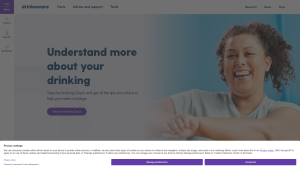
Latest drinkaware.co.uk screenshot
Rate your experience with Drinkaware uptime performance over the last 30 days

Frequently Asked Questions

We have recently sent browser requests to Drinkaware.co.uk and it's up and running with status code 200 (UP) and a response time of 1.63 ms. We recommend clearing your cache or restarting/updating your app.

If you are experiencing slow performance while using Drinkaware.co.uk, it may be your internet connection. Before you call your internet provider to ask about the slow speed, make sure to clear your cache, update the app, and check for any outages first.

HTTP response status code is a 3-digit code returned by the server indicating the status of the request. The code is typically accompanied by a message that provides additional information about the response such as:
  • 2XX - Successful - Website is up & reachable.

  • 3XX - Redirect - The website is accessible, but the browser is redirected to another page.

  • 4XX - Browser Error - The requested page is not available or doesn’t exist.

  • 5XX - Server Error - There are internal errors on the server.

The status code helps developers and users to understand what’s happening with a certain request. This also serves as a guide to take appropriate actions if needed.

The HTTP response time is the amount of time it takes a website to respond to a request made by your device. It calculates how long it takes for a website to load after you click on a link or type a URL into your browser.

Aside from trying a different device, you can also check your device's software if it’s up to date by checking for available updates in your settings.

If the issue persists after trying all of our tips, you can report the issue to us so we can further investigate. By this, you can also see if other users are experiencing it, too.