Is dhl.co.uk down - July, 2026?

DHL Outages and Status
DHL Logo

DHL is an international courier, parcel, and express mail services provider. Founded in the United States in 1969, DHL has grown to become one of the world's most recognised logistics companies, offering services in more than 220 countries and territories. Through its comprehensive range of services, DHL provides customers with tailored solutions for moving goods quickly and securely around the globe.


Last check: Just Now |

URL Checked:

http://www.dhl.co.uk/

Last Down:

not recently

Response Time:

39.85 ms.

dhl.co.uk outages reported by users in the last 24 hours

No DHL problems reported in the last 24 hours

This chart shows the number of DHL outages/problems reported by users in the past 24 hours. All data in the chart is in the Europe/London time zone.

Recent DHL User Reports

Check out the latest user reports on DHL, detailing the types of issues experienced and their locations. This helps you determine if others in your area are encountering similar problems.

  • GB Flag Icon
    Jun 18, 2026 - 10:53

    A visitor from Manchester, United Kingdom has reported a problem with Tracking

  • GB Flag Icon
    Jun 05, 2026 - 13:29

    A visitor from Yarnton, United Kingdom has reported a problem with Tracking

  • GB Flag Icon
    May 07, 2026 - 14:06

    A visitor from Chorley, United Kingdom has reported a problem with Tracking

  • GB Flag Icon
    May 06, 2026 - 16:30

    A visitor from Farnborough, United Kingdom has reported a problem with Tracking

  • GB Flag Icon
    May 05, 2026 - 10:39

    A visitor from Crystal Palace, United Kingdom has reported a problem with Tracking

  • GB Flag Icon
    Mar 03, 2026 - 15:50

    A visitor from Bloxham, United Kingdom has reported a problem with Tracking

  • GB Flag Icon
    Feb 13, 2026 - 12:10

    A visitor from Portsmouth, United Kingdom has reported a problem with Tracking

Join DHL Discussion

Suggestions? Issues? Outages?
Please share your DHL experience with other users around the globe.

GB Flag Icon

darrel@karakal.com

Manchester, United Kingdom 22 days ago

I have now processed 12 orders this morning. However while looking in Shipments awaiting driver pick-up I have no current data.

PLEASE! can you check if there is a problem

https://ship.dhlecommerce.co.uk/#/shipment/shipmentManagement

GB Flag Icon

Yarnton, United Kingdom 1 months ago

Tracking not updating, says parcel was never received, despite it being delivered already

GB Flag Icon

Dawn Perry

Chorley, United Kingdom 2 months ago

Tracker not updating

GB Flag Icon

Ann marie

Manchester, United Kingdom 2 months ago

I ordered a item from the range on 22April 2026for next day delivery by D.H.L STILL NOT ARRIVED YET WHY HAVE I GOT RECIEVED IT

GB Flag Icon

Ann marie

Manchester, United Kingdom 2 months ago

I ordered a item from the range on 22April 2026for next day delivery by D.H.L STILL NOT ARRIVED YET WHY HAVE I GOT RECIEVED IT

GB Flag Icon

Ann marie

Manchester, United Kingdom 2 months ago

I ordered a item from the range on 22April 2026for next day delivery by D.H.L STILL NOT ARRIVED YET WHY HAVE I GOT RECIEVED IT

GB Flag Icon

Tony B.

Portsmouth, United Kingdom 4 months ago

Parcel left 9 days ago at an official Drop-Shop and the item has still not been picked up by the DHL driver.

GB Flag Icon

Visitor UK

Drighlington, United Kingdom 8 months ago

DHL Italy systems issue nothing moving

GB Flag Icon

Visitor UK

Drighlington, United Kingdom 8 months ago

DHL Italy systems issue nothing moving

GB Flag Icon

Visitor UK

Drighlington, United Kingdom 8 months ago

DHL Italy systems issue nothing moving

GB Flag Icon

Visitor UK

Drighlington, United Kingdom 8 months ago

DHL Italy systems issue nothing moving

GB Flag Icon

James

Welwyn Garden City, United Kingdom 11 months ago

Server unavailable

GB Flag Icon

shirley davies brian brookes

Malpas, United Kingdom 1 years ago

hi i was relying on this parcel of esin to be hear befor last weekend as just had the biggest trading craft show of the year . i know theres been a bank holiday but it doesnt usualy take this long was posted on 29th april and still no sign parcel CC370371995DE

Most common DHL problems reported by users

100

Tracking

DHL Outage Locations

Location

Reports

Last Reported

GB Flag Icon

Manchester, England, GB

12

22 days ago

GR Flag Icon

Thessaloniki, Central Macedonia, GR

1

2 years ago

ES Flag Icon

Sober, Galicia, ES

1

2 years ago

Are you experiencing issues with DHL right now?

Is dhl.co.uk not working for you? If you are having issues with DHL, please use one of the options below to report a problem with the service

dhl.co.uk website response status history

Date and Time

Response Time

Status Code

Jul 10, 2026 - 12:49

39.85 ms.

200

Jul 09, 2026 - 18:24

39.88 ms.

200

Jul 09, 2026 - 07:03

39.92 ms.

200

Jul 08, 2026 - 08:16

40 ms.

200

Jul 07, 2026 - 17:11

39.87 ms.

200

Jul 07, 2026 - 03:53

40.43 ms.

200

Jul 06, 2026 - 21:53

38.09 ms.

200

This table shows the dhl.co.uk outage requests and response browser checks executed automatically by the sitedown.co.uk service. All data in the table is in the Europe/London time zone. If DHL is down or slow for you. You can try using a VPN service(to try from a different location) and also check the Tips below

Tips if dhl.co.uk is not working

  • Verify the URL - One of the most frequent causes of not being able to visit a web page is entering an incorrect URL. If you're URL is wrong, the website may redirect to another website or display an error page.

  • Use a Different Device - Try using a different computer or device to access the website or app. We also advise you to attempt rebooting your device.

  • Delete Browser Cache - It's possible that cached files are preventing your browser from downloading new web pages. Refreshing the page will clear it. To do that, click Ctrl + F5 on a Windows PC or Cmd + Shift, then press R on a Mac.

  • Clear Browser Cookies - Clearing browser cookies fixes certain issues, such as loading or formatting issues on sites. You can do this by clicking your browser settings, then privacy, then clearing browsing data.

  • Use Incognito Mode - You can also try viewing the website in private mode or incognito mode first. By using this, cookies and all temporary cache will be automatically disabled.

  • Restart Your Router - Try restarting your network connection if other websites or apps are having problems or are running slowly.

  • Firewall and Antivirus - Your ISP provider may have blocked the website or app you are attempting to access. If that's the case, you can try using a VPN service to visit the website or app to see if it will work.

  • Check your Firewall & Antivirus - These can occasionally block access to certain websites or services. To troubleshoot this issue, you may consider temporarily disabling them to see if it resolves the problem.

  • Clear DNS Cache - To speed things up, all OS systems save name resolution information into the DNS cache. In your case, the information recorded could be outdated or incorrect. We advise you to search on How-To guides on the web to clear your DNS Cache.

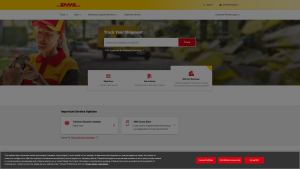
Latest dhl.co.uk screenshot
Rate your experience with DHL uptime performance over the last 30 days

Submit your complains here:

Via |

X

Via |

Facebook

Frequently Asked Questions

We have recently sent browser requests to Dhl.co.uk and it's up and running with status code 200 (UP) and a response time of 39.85 ms. We recommend clearing your cache or restarting/updating your app.

If you are experiencing slow performance while using Dhl.co.uk, it may be your internet connection. Before you call your internet provider to ask about the slow speed, make sure to clear your cache, update the app, and check for any outages first.

HTTP response status code is a 3-digit code returned by the server indicating the status of the request. The code is typically accompanied by a message that provides additional information about the response such as:
  • 2XX - Successful - Website is up & reachable.

  • 3XX - Redirect - The website is accessible, but the browser is redirected to another page.

  • 4XX - Browser Error - The requested page is not available or doesn’t exist.

  • 5XX - Server Error - There are internal errors on the server.

The status code helps developers and users to understand what’s happening with a certain request. This also serves as a guide to take appropriate actions if needed.

The HTTP response time is the amount of time it takes a website to respond to a request made by your device. It calculates how long it takes for a website to load after you click on a link or type a URL into your browser.

Aside from trying a different device, you can also check your device's software if it’s up to date by checking for available updates in your settings.

If the issue persists after trying all of our tips, you can report the issue to us so we can further investigate. By this, you can also see if other users are experiencing it, too.